
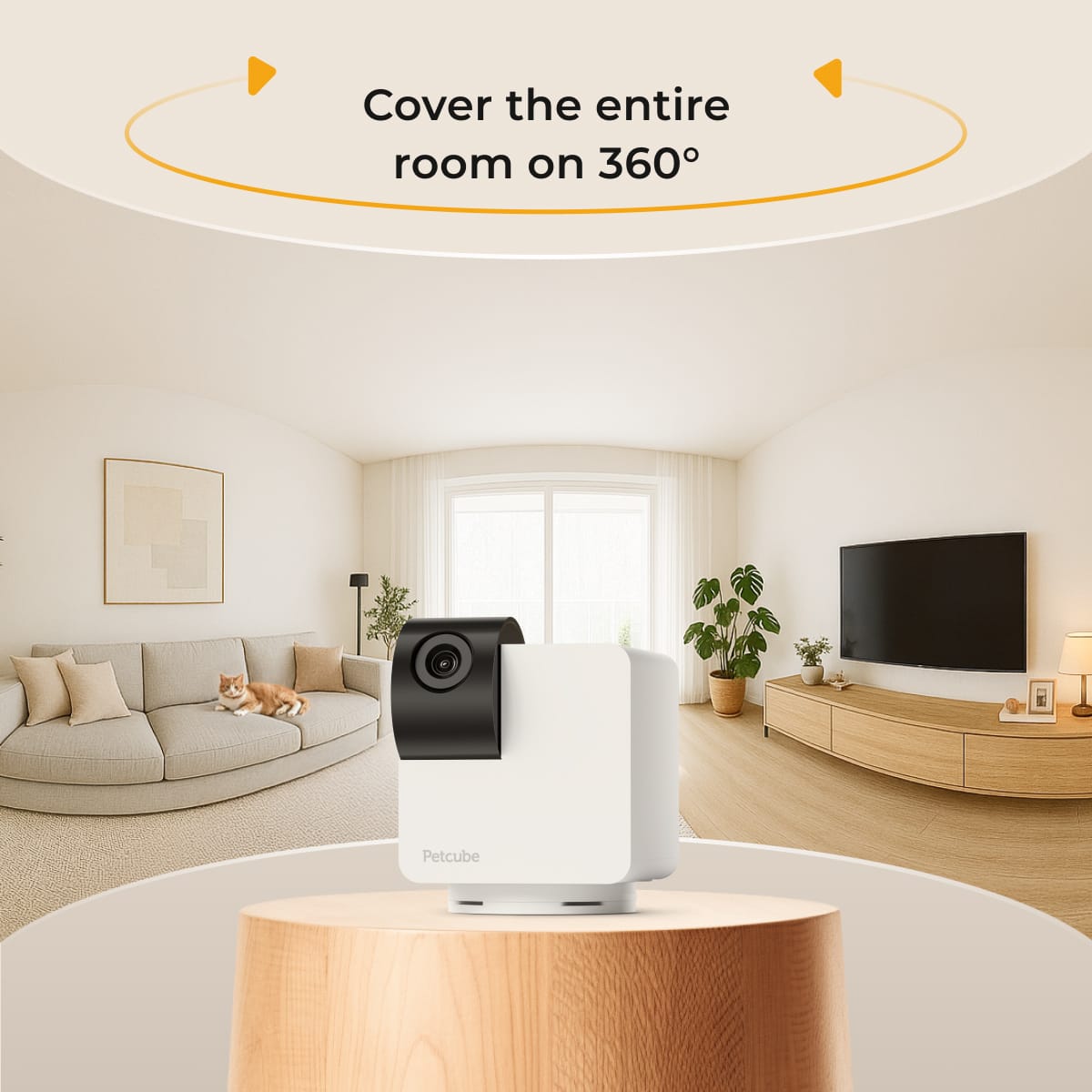
The Cam 360 solves one specific problem well: a fixed camera can miss a pet that walks out of frame. Petcube adds physical rotation and tilt while keeping the product focused on viewing, audio, and alerts—not treats or play.
This is a research-based editorial review, not a hands-on laboratory test. We checked Petcube's current U.S. specifications, plan details, privacy information, warranty language, return terms, and installation requirements. Product imagery is courtesy of Petcube.
 Check the current Cam 360 offer ↗
Choose it for coverage—not entertainment.
It is the sensible Petcube for checking a wider area of one room. Its biggest advantage is mechanical movement; its biggest limitation is that it does not dispense treats or provide laser play.
The quick read
The camera can sit on a shelf or table, or use the included mounting hardware. Petcube lists a closed-lens privacy mode, which is more reassuring than relying only on an app status indicator when you want the view physically blocked.
Petcube Cam 360
Check Petcube for today's price, stock, delivery options, return eligibility, and any active bundle offer.
Check current Petcube offer Affiliate link. We may earn a commission if you purchase, at no additional cost to you.What it does well
It sees more of one room than a fixed camera
The combination of a 105° lens, 350° horizontal rotation, and 55° vertical movement is the reason to choose this model. You can reposition the view in the app instead of hoping your pet stays inside one static frame.
The privacy mode is easy to understand
Petcube describes a closed-lens mode that physically blocks the view. That does not replace strong account security, but it gives household members a clear visual signal when monitoring is off.
The core experience does not require a subscription
Live viewing and the camera's basic use do not require Petcube Care. The optional plan is where video history and smart alerts become more capable, so compare the free experience with the recurring plan you would realistically keep.
Four limitations to understand first
- It uses 2.4 GHz Wi-Fi. Many dual-band routers support this, but setup can be awkward when bands are combined or 2.4 GHz is disabled.
- It is not a roaming whole-home system. Rotation helps within one position; walls and closed doors still win. A second camera may make more sense than expecting one unit to cover an entire home.
- There is no laser or treat dispenser. For remote play, read the Petcube Play 2 review. For rewards, consider the Bites 2 Lite.
- Recorded history and smarter alerts can mean a recurring cost. The camera works without a monthly plan, but Petcube Care changes what is stored and which alerts are available.
Who should buy it—and who should skip it?
Your pet moves around one main room
You want to look left, right, up, or down from the app and value room coverage more than interactive extras.
You want a visible privacy control
A physically blocked lens matters to your household, alongside unique passwords, updates, and careful access sharing.
You want play or remote rewards
A built-in laser or treat dispenser is central to the experience you are buying, not merely a nice extra.
You need local or continuous recording
Your priority is a security-camera workflow, 5 GHz connectivity, or recording that does not depend on an optional cloud service.
Cam 360 vs. Play 2 vs. Bites 2 Lite
See all four current Petcube picks by use case →
Placement matters more than the word “360”
Place the camera where furniture does not block its rotation and where the lens can see the floor area your pet actually uses. Keep it away from bedrooms, bathrooms, screens with sensitive information, and conversations household members reasonably expect to remain private.
Use our seven-question privacy checklist before installation →
The Petcube Cam 360 earns its place when one fixed angle is the problem you need to solve. It is a focused, relatively affordable viewing camera—not the right choice if treats, laser play, 5 GHz Wi-Fi, or local recording are non-negotiable.
Confirm today's price—and your Wi-Fi—before ordering.
Verify current stock, shipping, return eligibility, and optional plan features directly with Petcube.
View Petcube Cam 360 Affiliate link. Purchase and payment are completed on Petcube's official store.Is Petcube Cam 360 better than Play 2?
Cam 360 is the better fit when the problem is seeing more of one room. Play 2 is the better fit when the owner specifically wants a built-in laser and the pet safely engages with it. Neither product is automatically better outside its intended use case.
Compare Petcube Cam 360 and Play 2 side by side →
Check which camera features may require an optional plan →